
BOQ and Excel on the model
The whole process in one system. Automated where possible, manual where needed, controlled throughout. AiN Engine brings the entire BOQ preparation process into one place: extraction from the model, mapping to items, editing, manual completion and approval. Geometry calculations are consistent. AI assists with classification, mapping and calculation, and never approves a quantity. Professional responsibility stays with human review.
What the platform includes
🤖 AI assistant inside the system
A built-in assistant that helps with classification, mapping, spotting exceptions and explaining where a quantity came from. It does not compute the geometry and does not approve rows on your behalf.
🔄 Two way highlighting against the model
Click a row that is based on the model and the elements it was derived from are highlighted, and the other way round. A row added manually is marked as such and never poses as model data.
☁️ Cloud editing, no installation
Add columns and rows, edit quantities and prices, and complete missing items manually, directly in the browser with no software download.
📘 Item structure per project
Elements are mapped to pricing items according to the chapter structure of the project and the requirements of its consultants. The mapping is proposed by the system and approved by the QS.
From model to BOQ, five steps
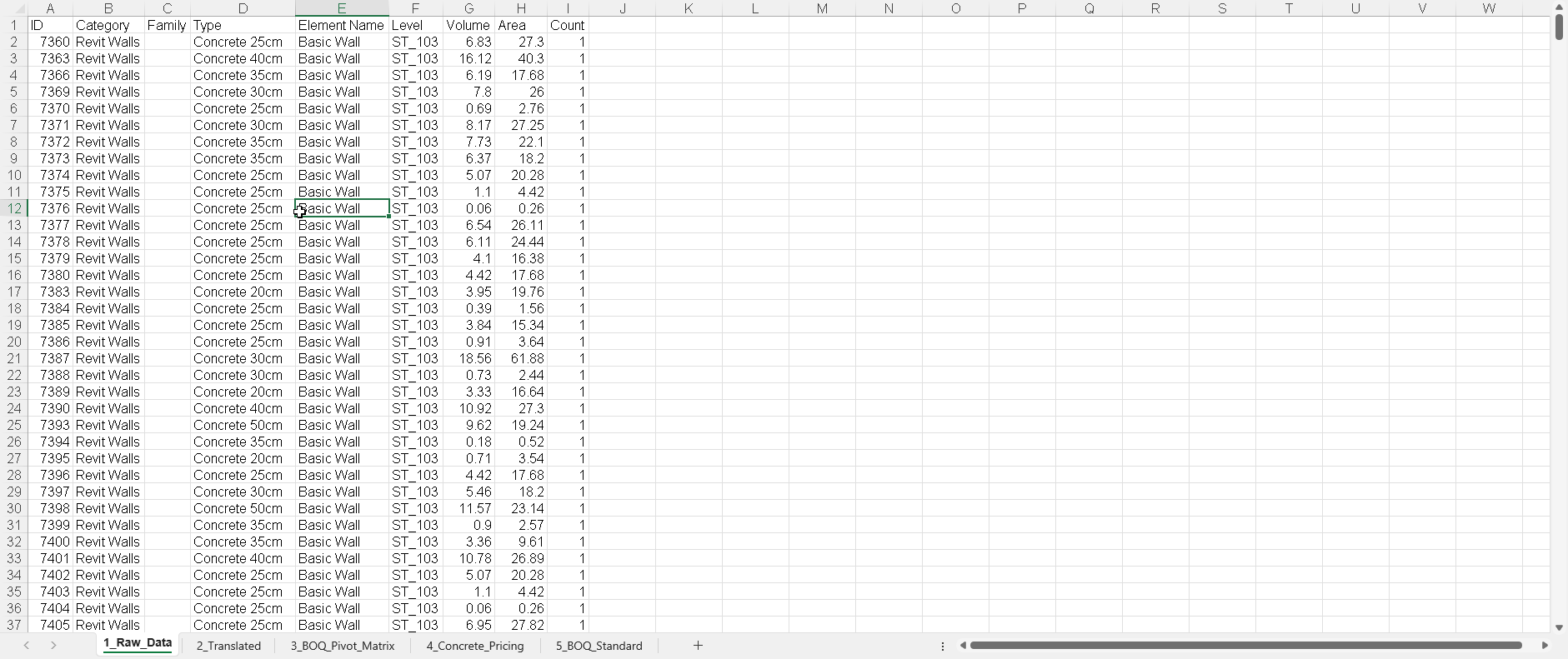
Step 1: Extraction from the model
Extraction of elements, families, volumes and areas from the Revit model. The calculation is consistent: the same model always returns the same result. Anything absent from the model is not invented.
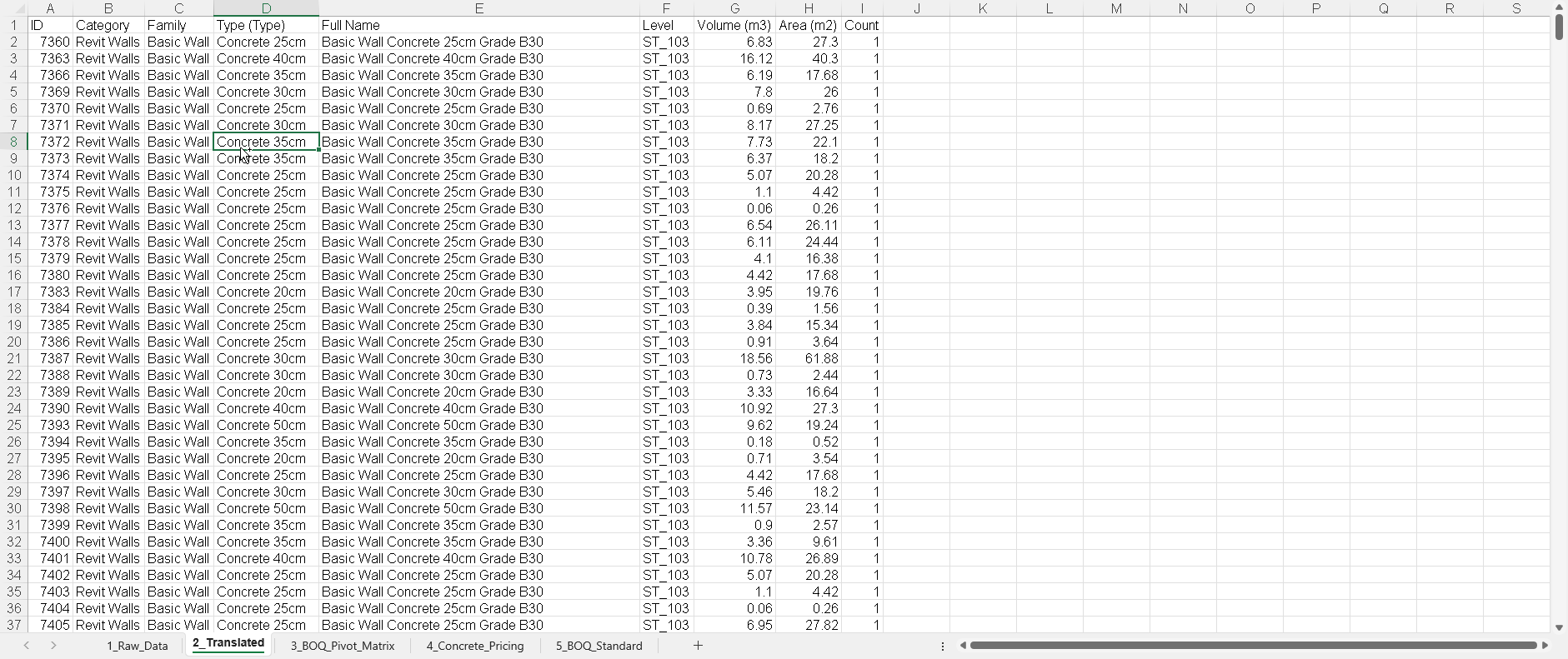
Step 2: Normalisation and mapping
The system normalises the data and maps element names into clear engineering and contractor language. The mapping is a proposal: it can be edited, corrected and approved.
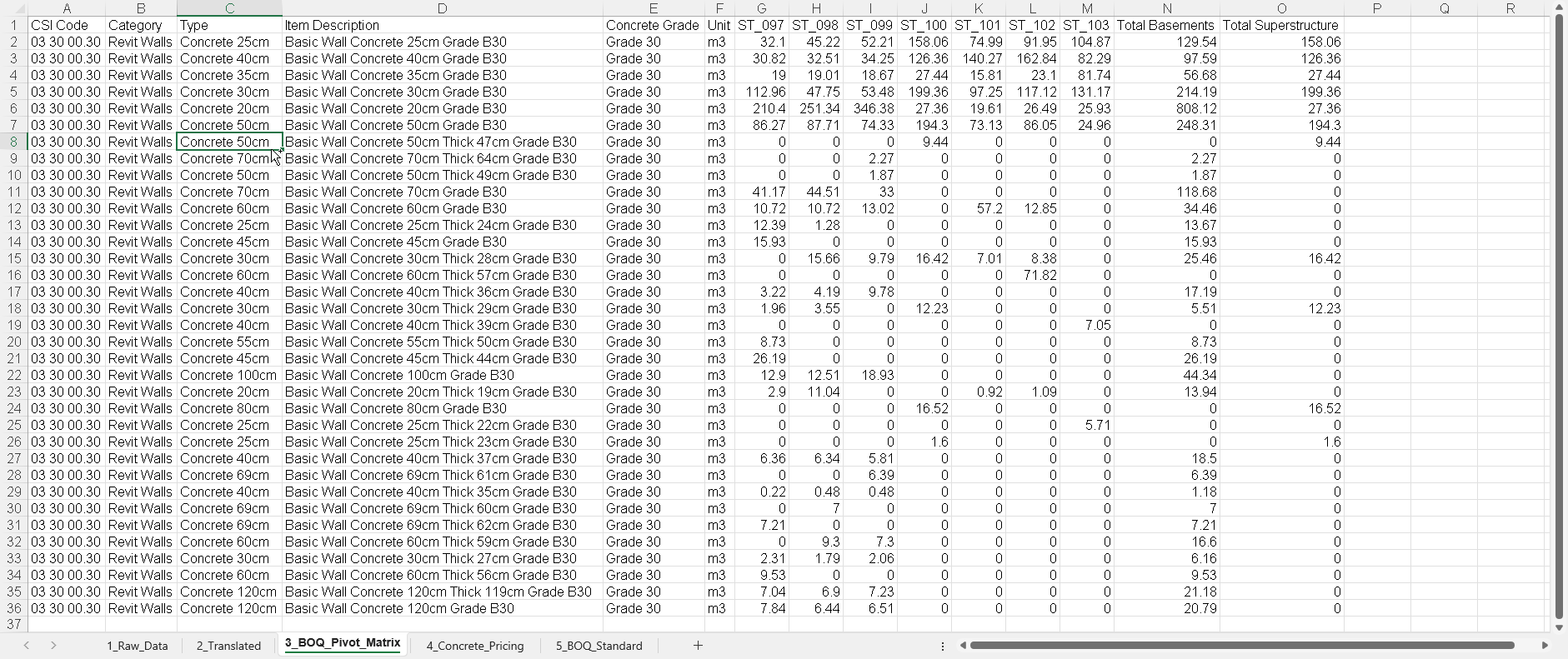
Step 3: BOQ pivot matrix
Data is organised by levels, phases and categories in a matrix that supports budget control. The breakdown can be edited, and rows that do not come from the model can be added.
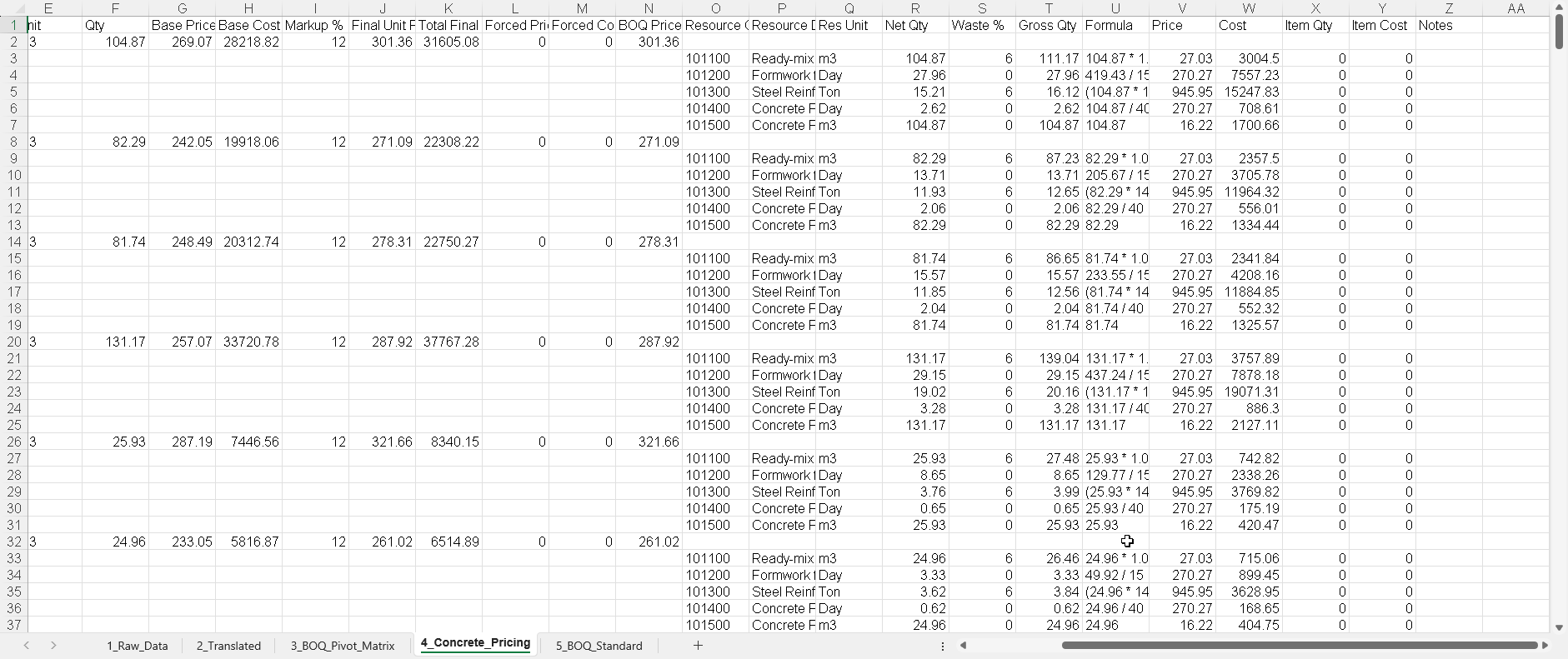
Step 4: Resource and pricing analysis
The main element, for example concrete, is broken down into required resources: labour, material, rebar and formwork, against the project price list.
Step 5: Producing the BOQ
A structured Excel workbook for submission, with item numbering, quantities, the source of every quantity and a review status per row. A quantity is not final until a QS has checked and approved it.
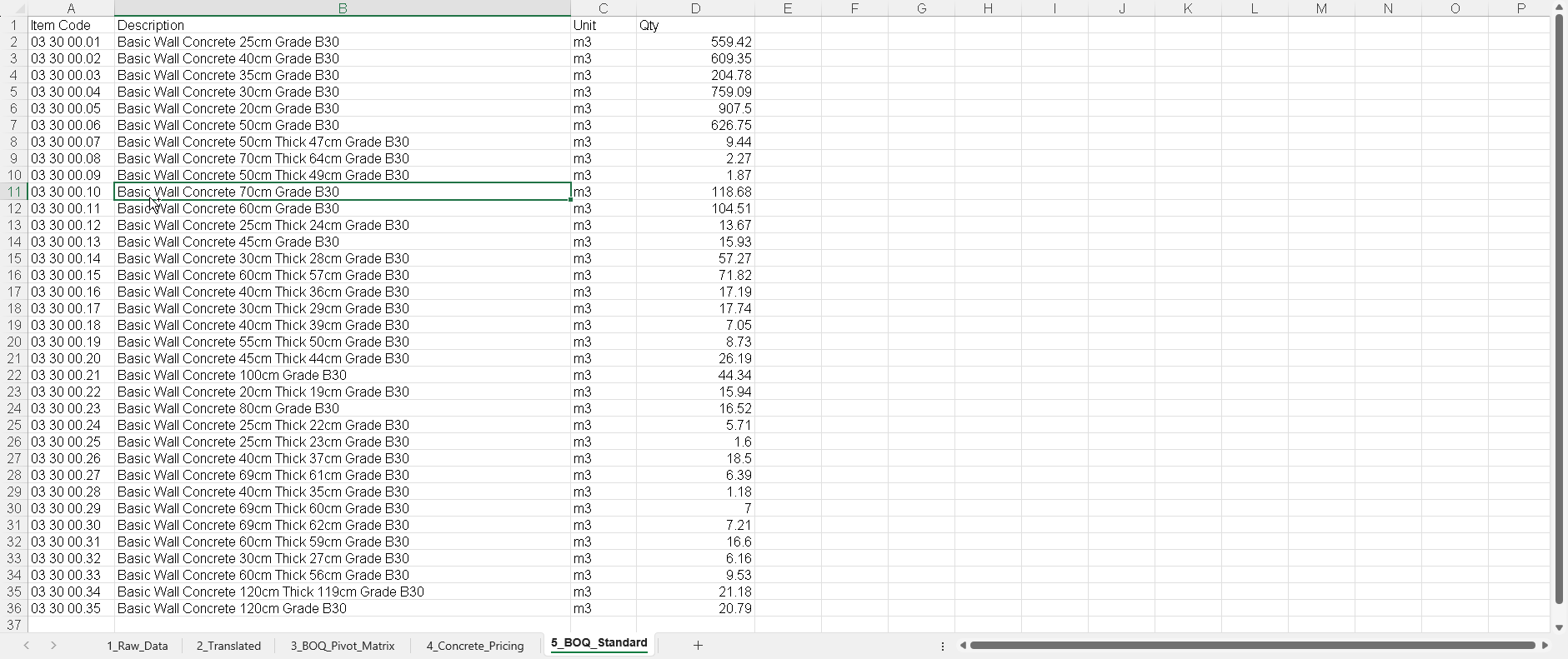
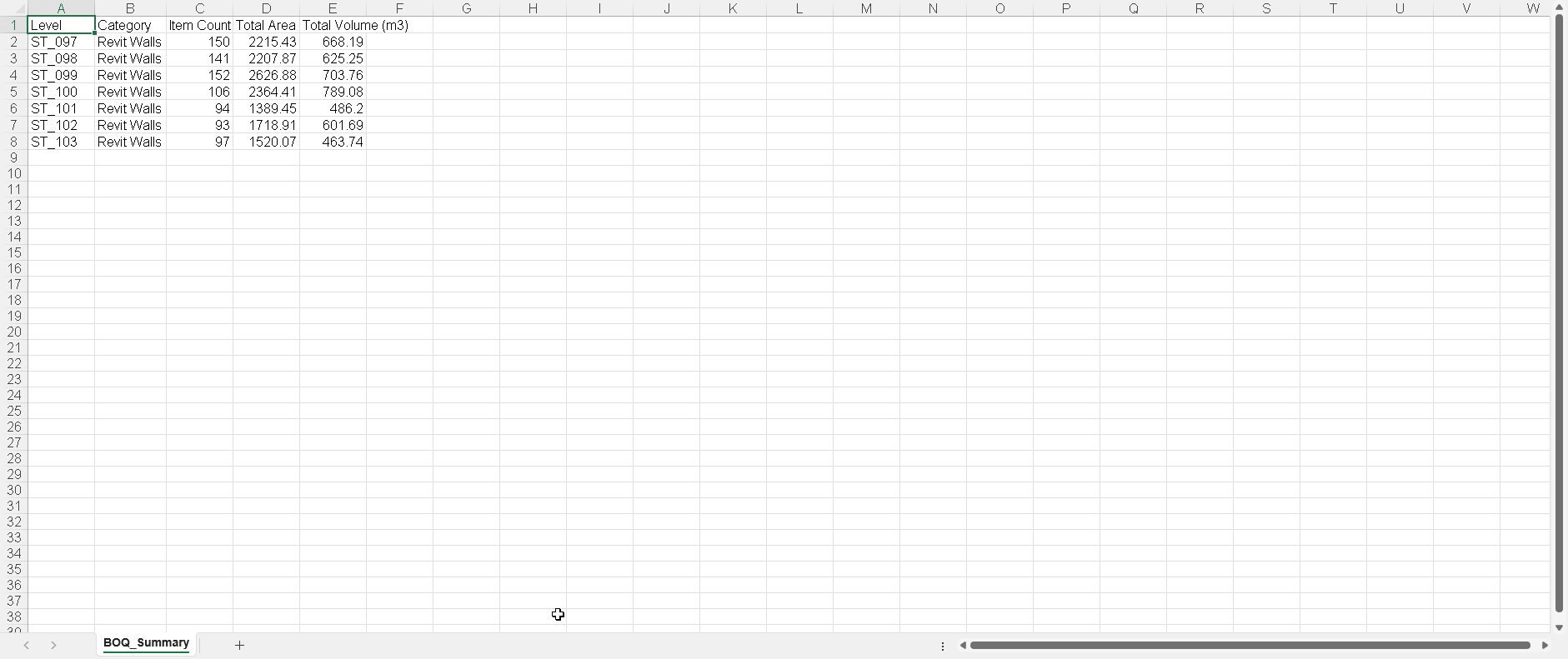
What is not in the model does not disappear
Rows, quantities, prices and notes can be added manually, with a clear distinction between model data, derived quantities and manual completions. Every row carries its own source, so it is always clear what came from the model, what was calculated from it, and what was entered by hand.