
PDF and DWG measurements alongside a model
A workflow guide for preparing and reviewing a BOQ. It describes professional checks and does not promise automatic recognition, compatibility or a connection that has not been verified for the project.
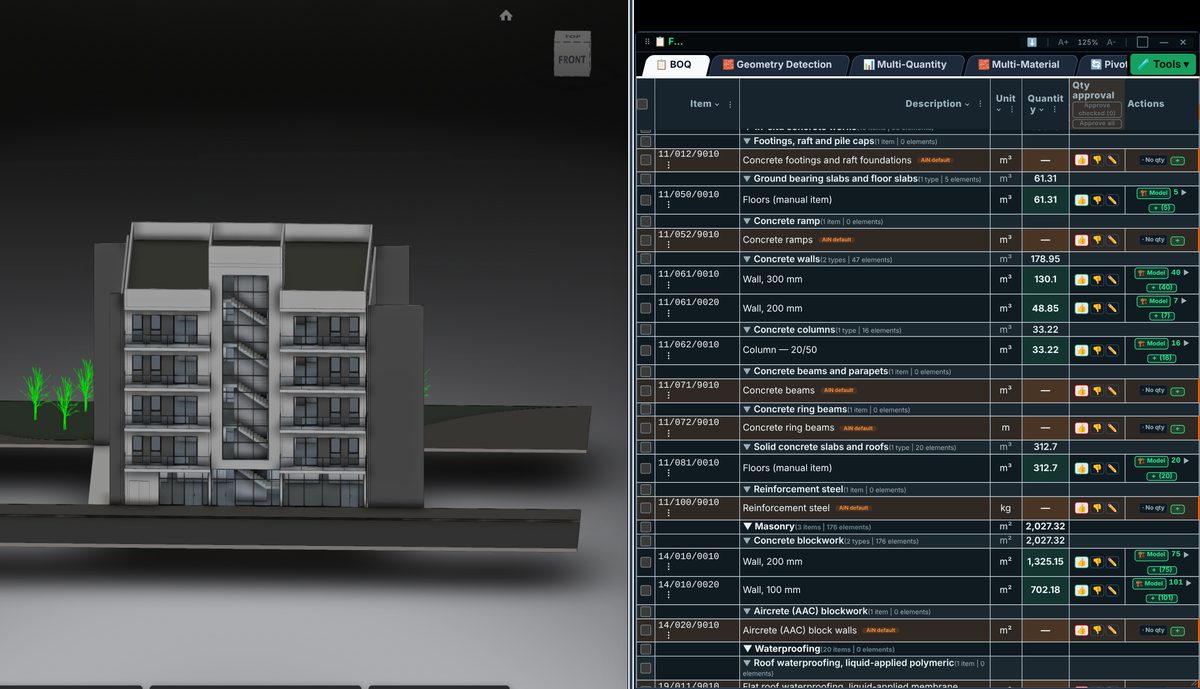
Check the source
When the model lacks a required quantity, start with a drawing register and revision. Check a PDF scale against a written dimension, and check DWG units, references and layers. Record the drawing behind each quantity and distinguish length, area and volume.
Incorporate the data
Before adding a drawing measurement to a model-based line, check for overlap. A partition measured from a drawing must not be added again merely because a model element exists. If the scopes differ, record exactly which part comes from each source.
Review before issue
A drawing measurement remains a distinct source after incorporation into a BOQ. Do not present it as geometry derived from an element. A drawing revision calls for review of affected lines, rather than an automatic replacement of every project quantity.
Review checklist
- Identify the source file and revision.
- Record the unit and measurement rule, and check scope boundaries.
- Distinguish model data, manual completion and AI suggestions.
- Record missing data or exceptions before using a quantity for pricing.