
AI assistance in mapping and checking a BOQ
A workflow guide for preparing and reviewing a BOQ. It describes professional checks and does not promise automatic recognition, compatibility or a connection that has not been verified for the project.
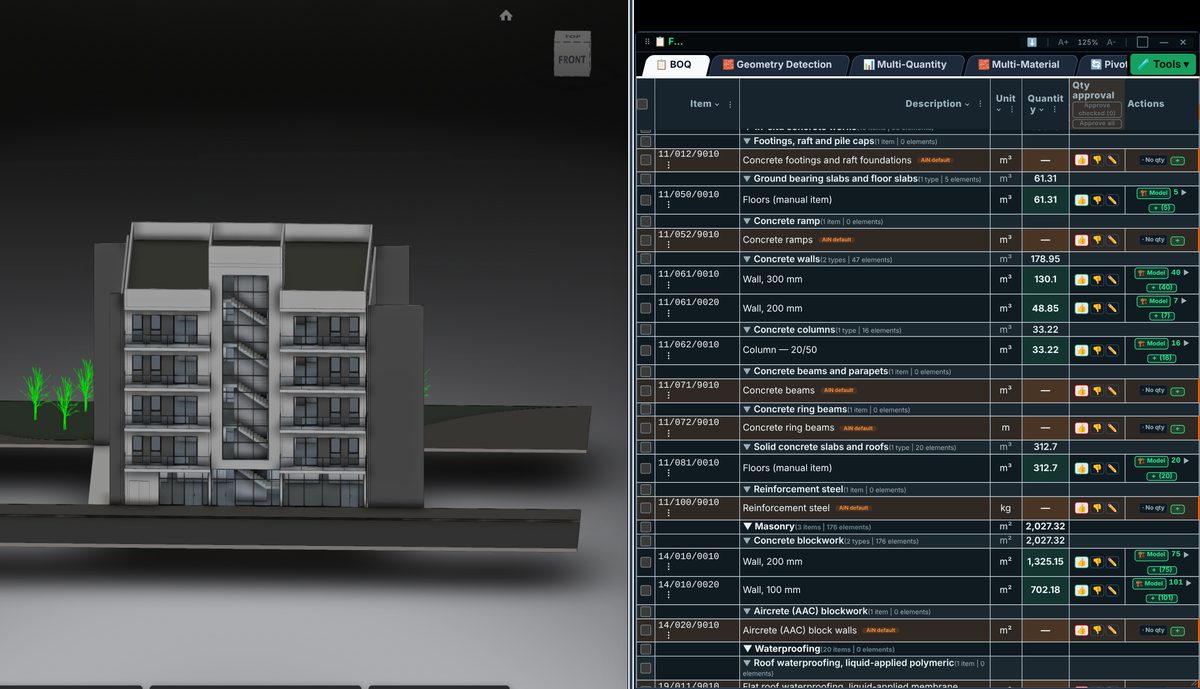
Check the source
A classification suggestion is useful when it connects an unclear element name to a checkable work description. Keep the original data alongside the suggestion and verify the description, unit and scope. A similar name alone does not establish a match.
Incorporate the data
AI can assist with classification, mapping and calculation, but it does not approve a quantity. Check the number against its source material. Missing data must not become zero or an approved quantity merely to fill a table.
Review before issue
For each suggestion, ask about the source, measurement rule, included elements and unresolved decisions. Where two classifications are possible, record the decision and its reason so a later update does not erase the professional rationale.
Review checklist
- Identify the source file and revision.
- Record the unit and measurement rule, and check scope boundaries.
- Distinguish model data, manual completion and AI suggestions.
- Record missing data or exceptions before using a quantity for pricing.