
Visual model checks alongside the BOQ
A workflow guide for preparing and reviewing a BOQ. It describes professional checks and does not promise automatic recognition, compatibility or a connection that has not been verified for the project.
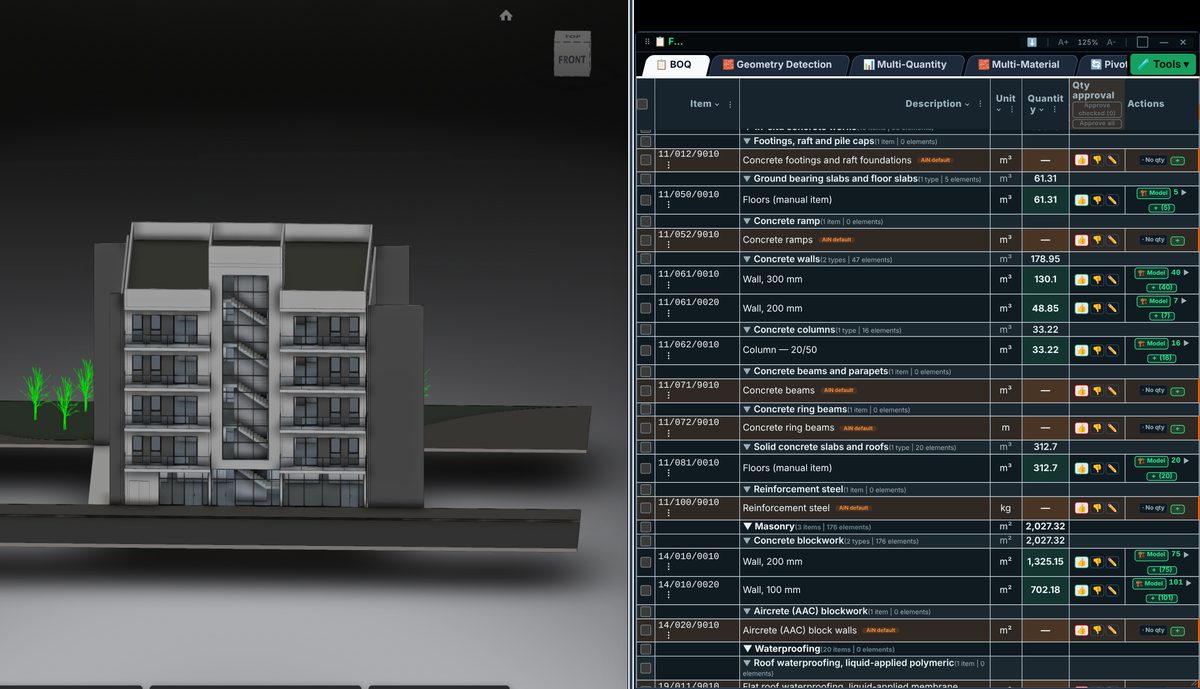
Check the source
A model view helps explain the line being reviewed. Examine the element group, location and extent against the work description. A visually convincing view alone does not prove that the unit, formula or scope is correct.
Incorporate the data
A model-based line links to the elements from which it was derived. A manual line can describe work that has not been modelled. Reviewers must distinguish these cases rather than expect every BOQ line to produce the same model highlight.
Review before issue
If an element is difficult to see, isolate its surroundings and check its level, category and source file. Review visibility and linked files before concluding that it is absent. Decide whether to include it only after checking the underlying data.
Review checklist
- Identify the source file and revision.
- Record the unit and measurement rule, and check scope boundaries.
- Distinguish model data, manual completion and AI suggestions.
- Record missing data or exceptions before using a quantity for pricing.