Manual completion in a model-linked BOQ
A workflow guide for preparing and reviewing a BOQ. It describes professional checks and does not promise automatic recognition, compatibility or a connection that has not been verified for the project.
Check the source
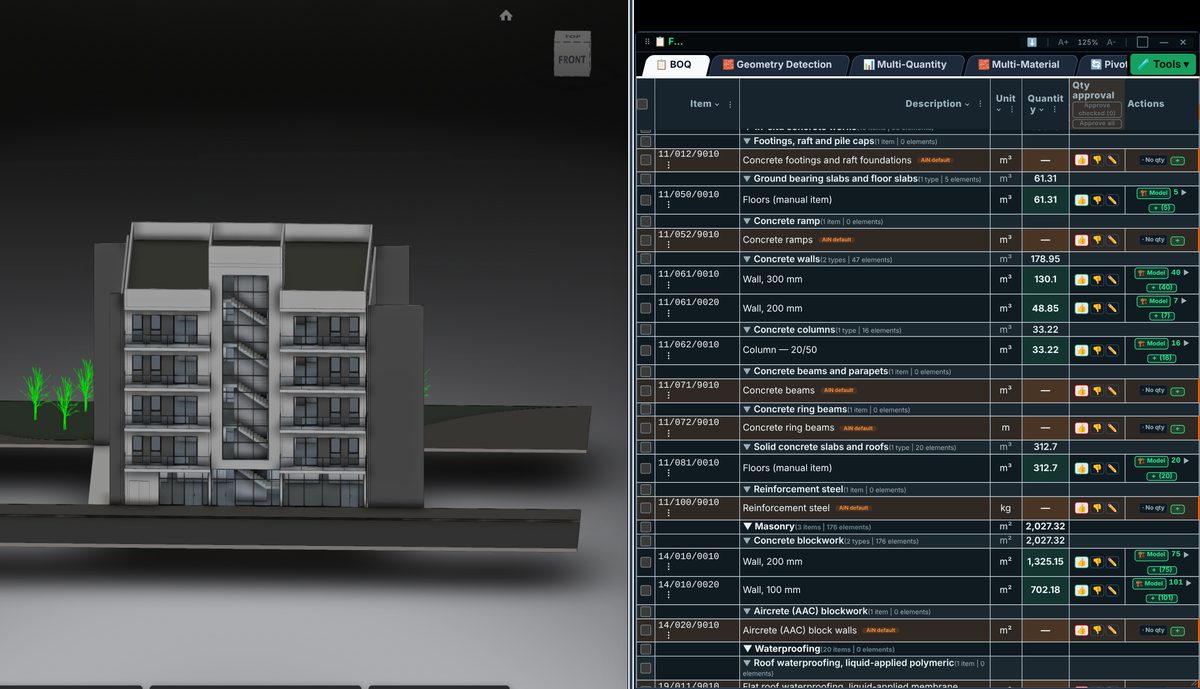
Required work may have no model element. Define the scope and add it from a suitable source, such as a drawing or specification. Do not create an artificial element link merely to make the line appear automated.
Incorporate the data
Manual completion needs a description, unit, calculation basis and date. If it corrects an existing measurement, retain the earlier value and the reason for the change so the decision can be reviewed.
Review before issue
Revisit manual additions when the model changes. Previously unmodelled work may now appear in the model, creating a duplication risk. Professional approval must cover all sources rather than only automatically derived lines.
Review checklist
- Identify the source file and revision.
- Record the unit and measurement rule, and check scope boundaries.
- Distinguish model data, manual completion and AI suggestions.
- Record missing data or exceptions before using a quantity for pricing.