
From Revit data to a checkable BOQ
A workflow guide for preparing and reviewing a BOQ. It describes professional checks and does not promise automatic recognition, compatibility or a connection that has not been verified for the project.
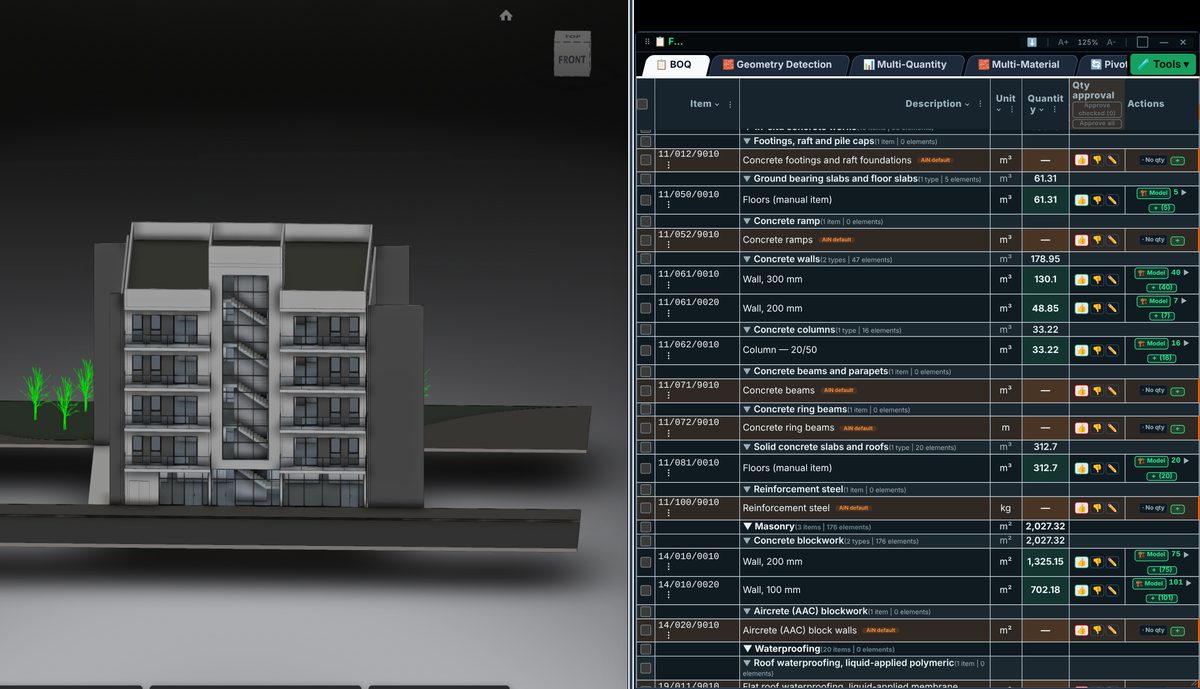
Check the source
Define project scope and measurement rules first. An element area or volume is not necessarily the contractual work quantity. Check how the element, material and unit translate to the relevant BOQ item.
Incorporate the data
Sample elements from different categories and locations before relying on a grand total. Compare the measurement with project documents and ensure the main model and linked files are not counted twice.
Review before issue
AiN combines model data with the completion required to prepare the BOQ. The degree of automation depends on scope and supplied material; mapping, review and professional approval remain part of the process.
Review checklist
- Identify the source file and revision.
- Record the unit and measurement rule, and check scope boundaries.
- Distinguish model data, manual completion and AI suggestions.
- Record missing data or exceptions before using a quantity for pricing.