
Room and finish areas: measurement basis and checks
A workflow guide for preparing and reviewing a BOQ. It describes professional checks and does not promise automatic recognition, compatibility or a connection that has not been verified for the project.
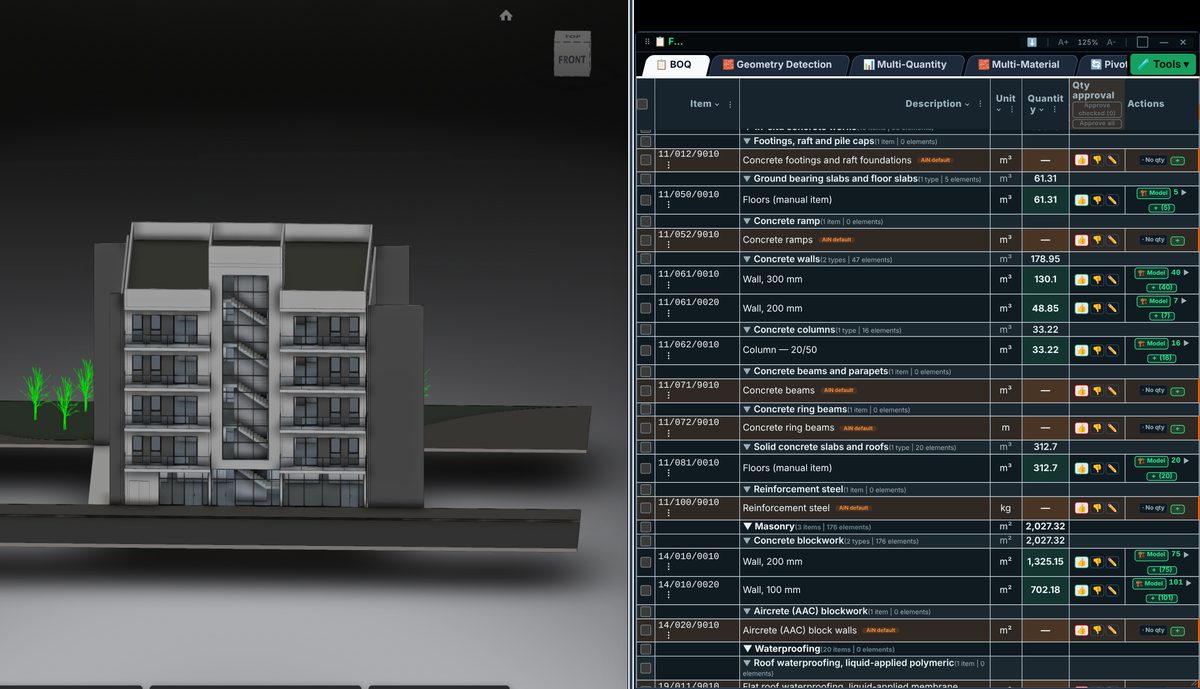
Check the source
Define space boundaries, height and measured layers before calculating finishes. Floor area is not a substitute for wall area, and wall area is not necessarily paint or cladding area. Review openings, columns and bulkheads under the chosen measurement rule.
Incorporate the data
Level and room breakdowns support procurement and checking only if they share the same revision and scope. If a space name is missing or unclear, return to drawings and specifications. Do not infer room use from its name alone.
Review before issue
Separate measured geometry from material selection and specification decisions. A finish change may alter an item or resource without changing area. This guide describes professional review, not automatic recognition of every room or finish layer.
Review checklist
- Identify the source file and revision.
- Record the unit and measurement rule, and check scope boundaries.
- Distinguish model data, manual completion and AI suggestions.
- Record missing data or exceptions before using a quantity for pricing.