
From quantities to progress records and cost control
A workflow guide for preparing and reviewing a BOQ. It describes professional checks and does not promise automatic recognition, compatibility or a connection that has not been verified for the project.
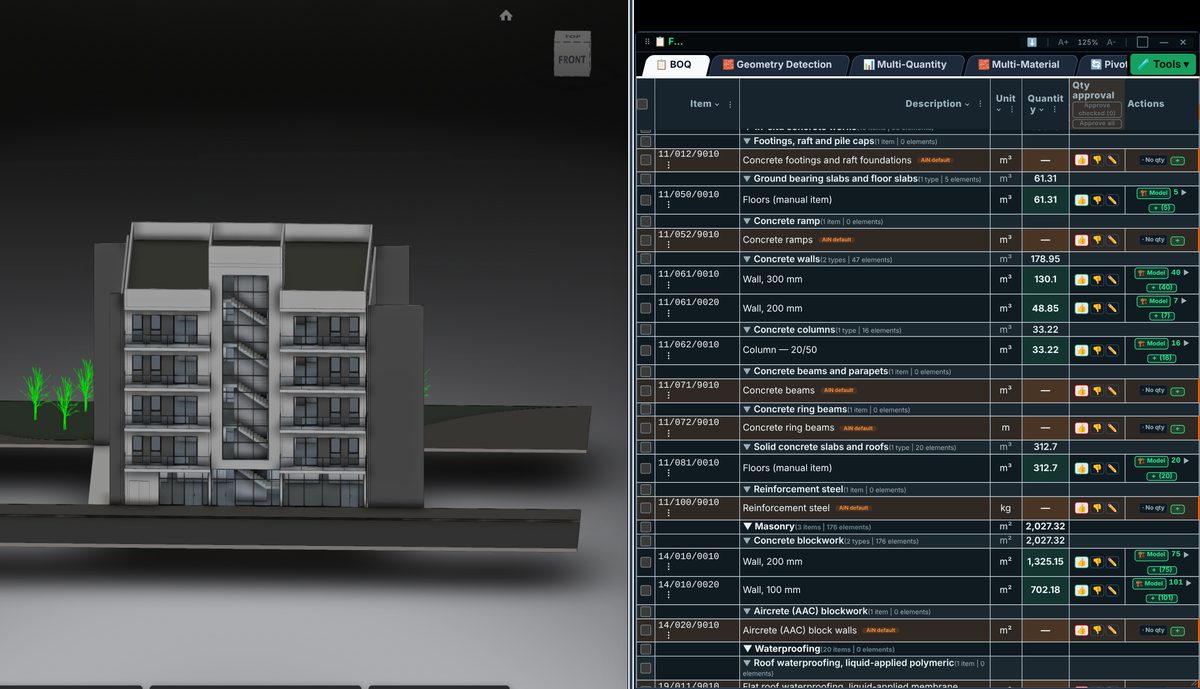
Check the source
Control begins with a defined BOQ containing quantity, rate and budget for each work package. Record progress, orders and payment applications alongside that baseline, with period and source. Cash paid is not necessarily the value of work performed in the same month.
Incorporate the data
Separate quantity changes, rate changes and added scope to explain variances. Each change needs a reason and supporting record. Missing or unchecked data is not evidence that a project is within budget.
Review before issue
A table view does not establish a bank connection, automatic data capture or payment approval. Verify the source and actual connection status before relying on an interface. Approval of payments and variations remains a separate professional decision.
Review checklist
- Identify the source file and revision.
- Record the unit and measurement rule, and check scope boundaries.
- Distinguish model data, manual completion and AI suggestions.
- Record missing data or exceptions before using a quantity for pricing.