BOQEX: from a Revit model to a bill of quantities and Excel
BOQEX is the name of BOQ export in AiN Engine.
The whole process in one system. Automated where possible, manual where needed, controlled throughout. AiN brings together information extracted from the model, bill of quantities entries and additions required by the project. For entries calculated from model elements, the originating components remain accessible for examining the measured scope before pricing. AI assists with classification, mapping and calculation, and never approves a quantity. The professional handles checking and approval.
Preparing a bill of quantities workbook from model information
1. Examine available model information
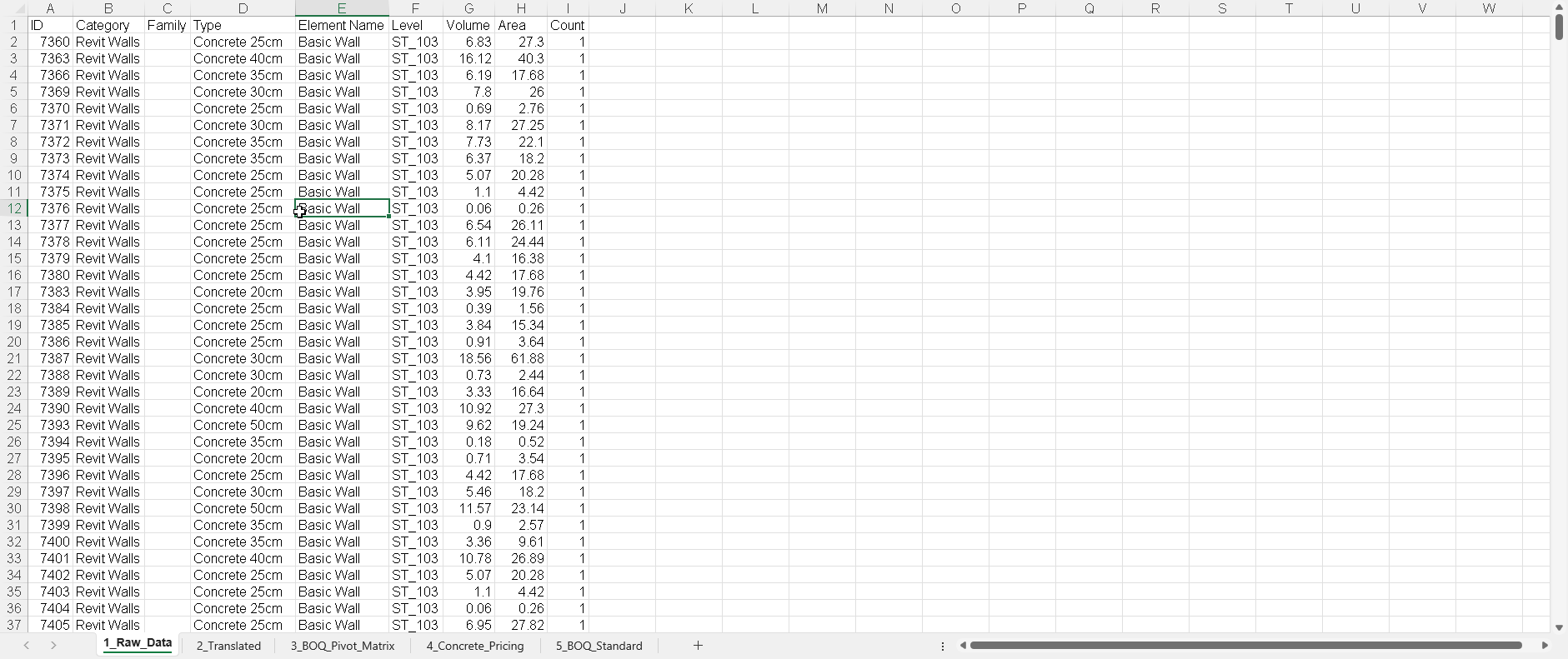
Begin by examining families, area measurements and volume figures associated with elements in the Revit model. Establish what the model contains and which revision is being used. Unmodelled work requires separate documentation or professional input.
2. Associate element information with BOQ entries
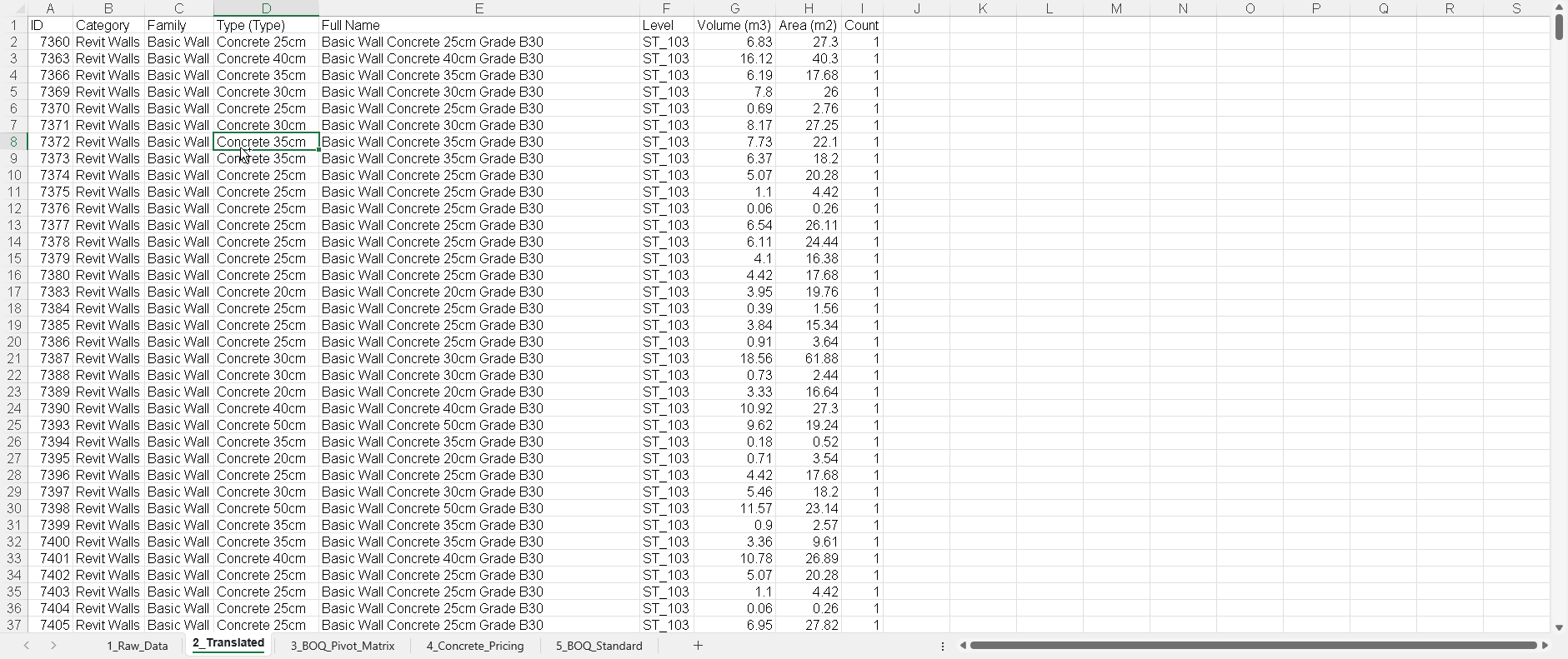
Group element names alongside their associated information to prepare suggested assignments within the bill of quantities. The professional examines the source material and description of the work, revises assignments where appropriate and approves the mapping.
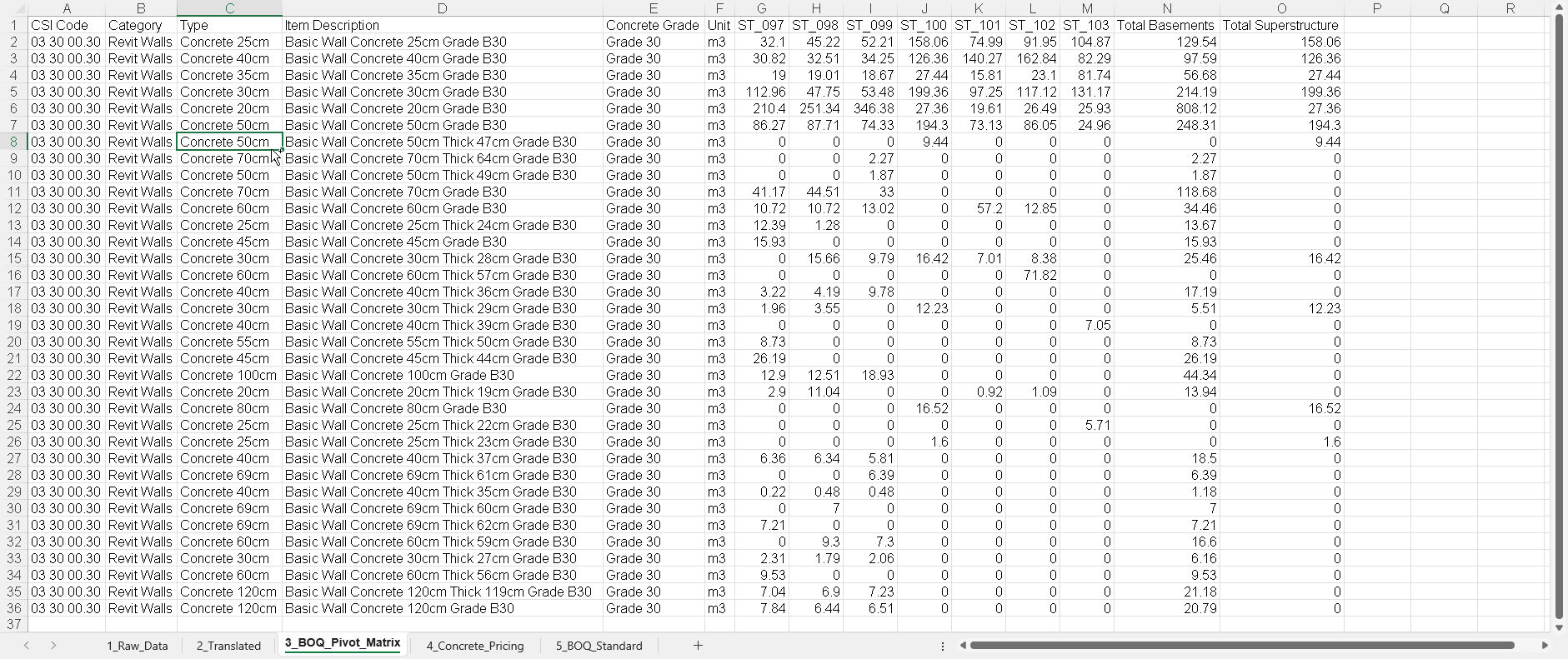
3. Examine quantity groupings within the matrix
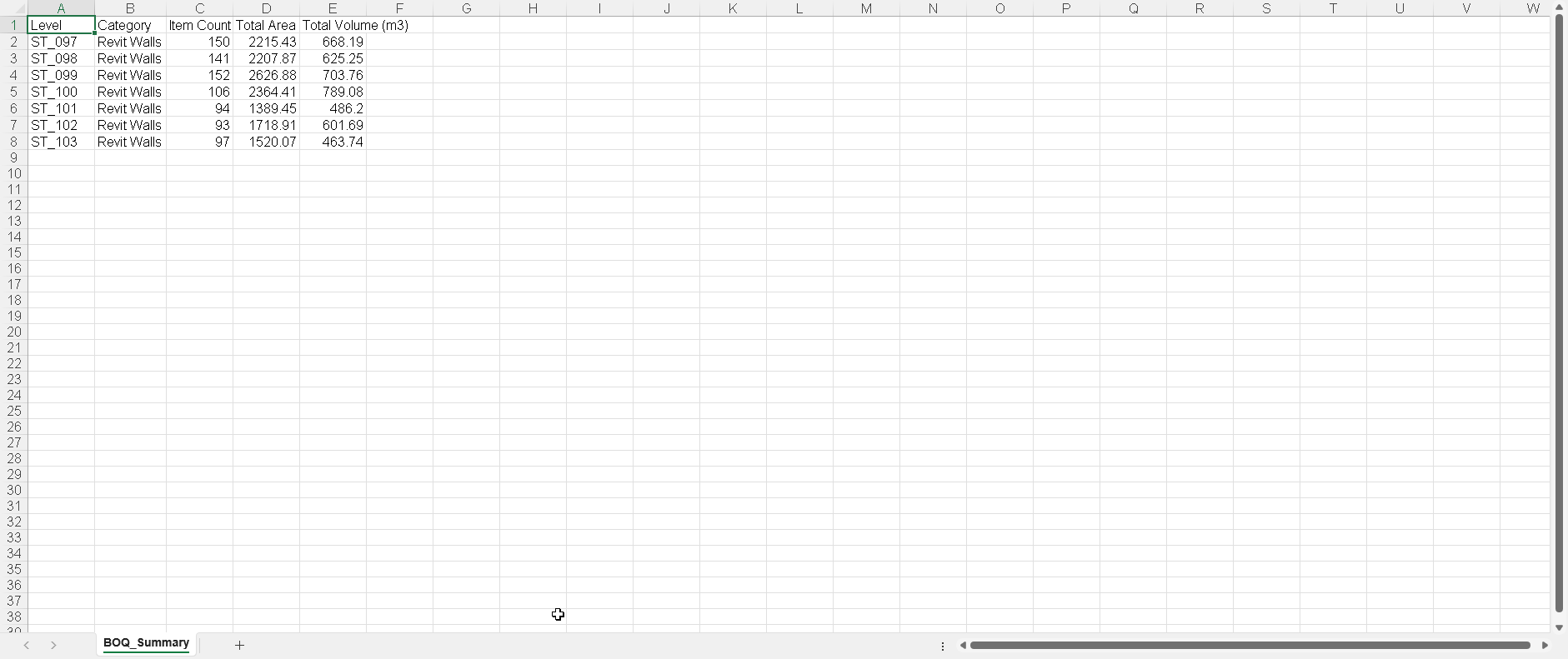
The matrix arranges available quantities using attributes including floor levels and element categories. These groupings support checks of the included work, but cannot independently confirm whether modelling and quantity measurement cover the entire scope.
4. Enter costs and resource details
Enter costs applicable to the project alongside a breakdown of the resources involved. For concrete activities, this may distinguish labour, materials and formwork. Verify that each entry's pricing components correspond to its description and measurement unit.
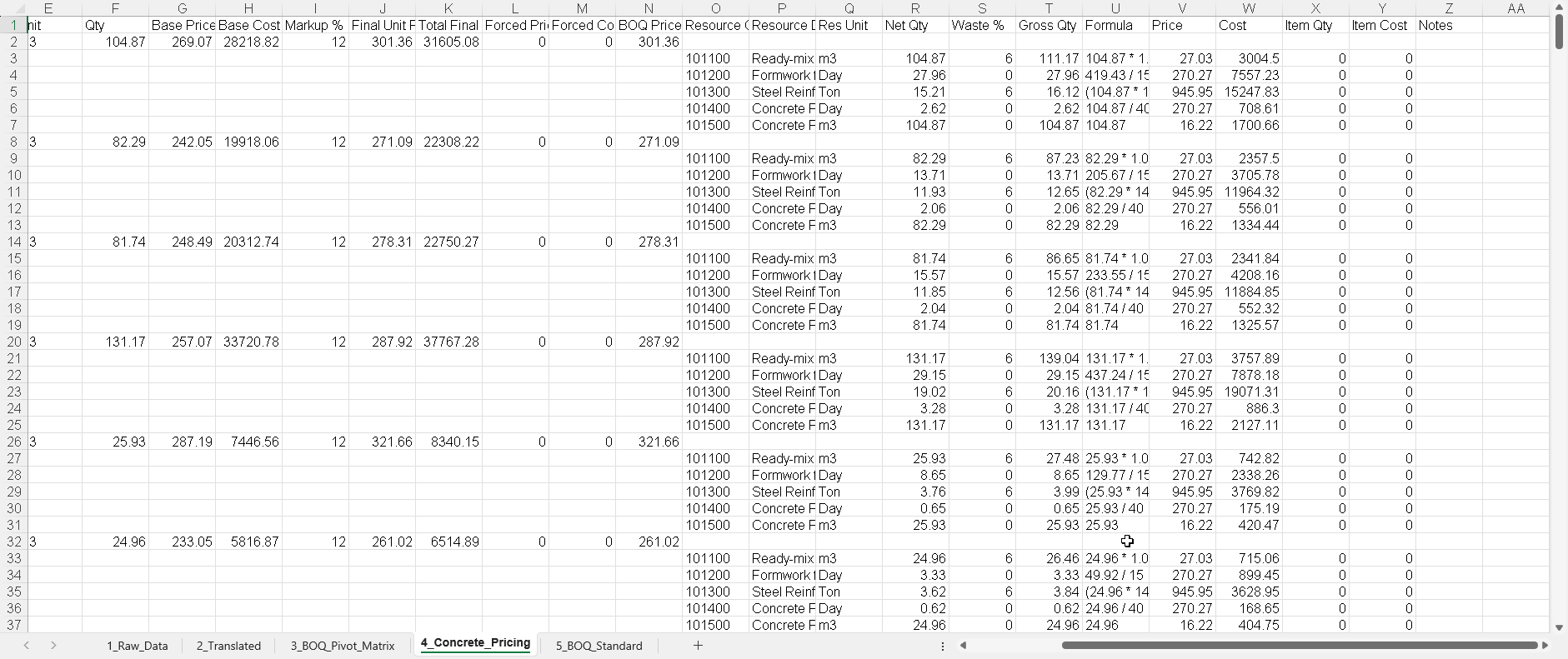
5. Export a bill of quantities into an Excel workbook
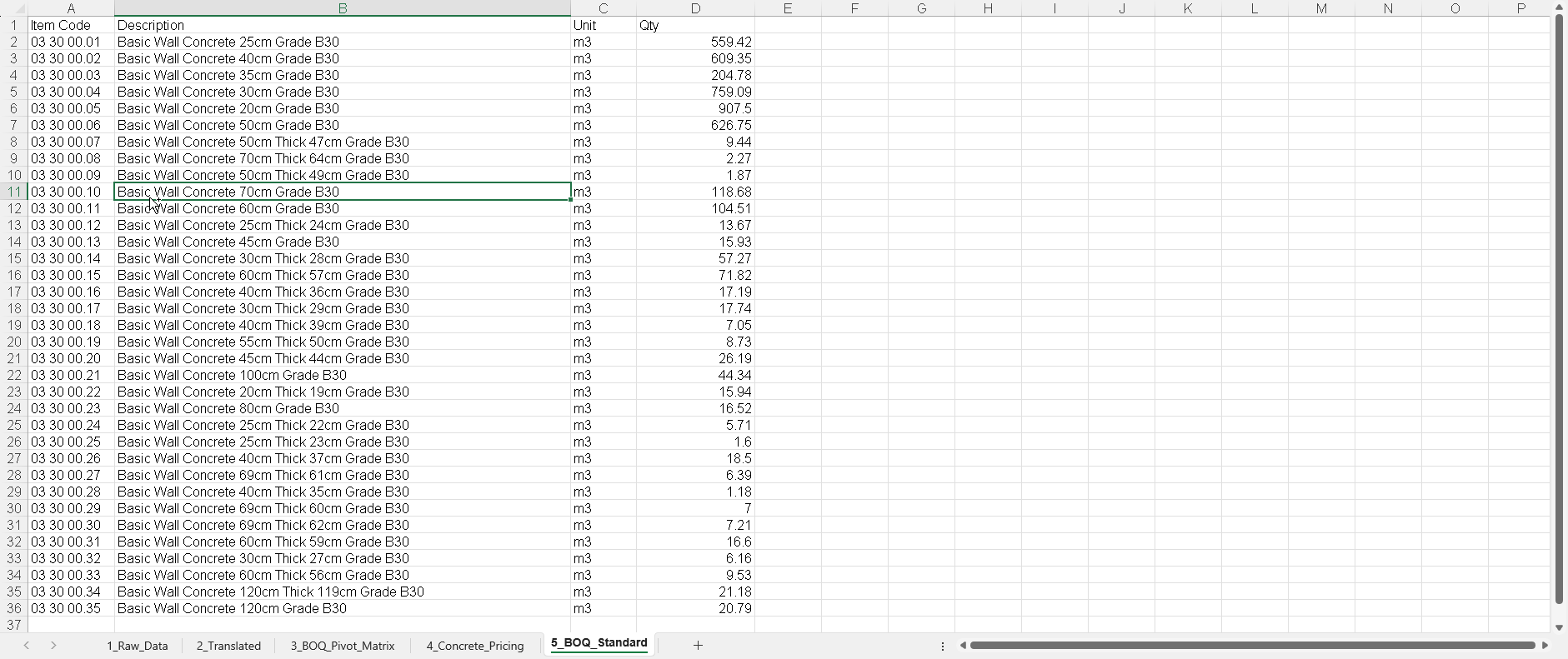
With BOQEX, export the bill of quantities from AiN to an Excel workbook containing work descriptions, measurement units and quantities, retaining distinctions between their sources. Examine outstanding information, required additions and approvals before costing or handover.
Record work that is not modelled
Not every activity is represented by an element in the model. Additional BOQ rows may be entered manually, with their sources recorded against each entry. Those lines should not suggest a measurement traced to model elements. The balance between model-derived data and professional input reflects what has been modelled and which work chapters the project requires. Enquiries may address independent use of AiN or a complete service based on the supplied project documents.