
BOQ export to Excel: checking the workbook
A workflow guide for preparing and reviewing a BOQ. It describes professional checks and does not promise automatic recognition, compatibility or a connection that has not been verified for the project.
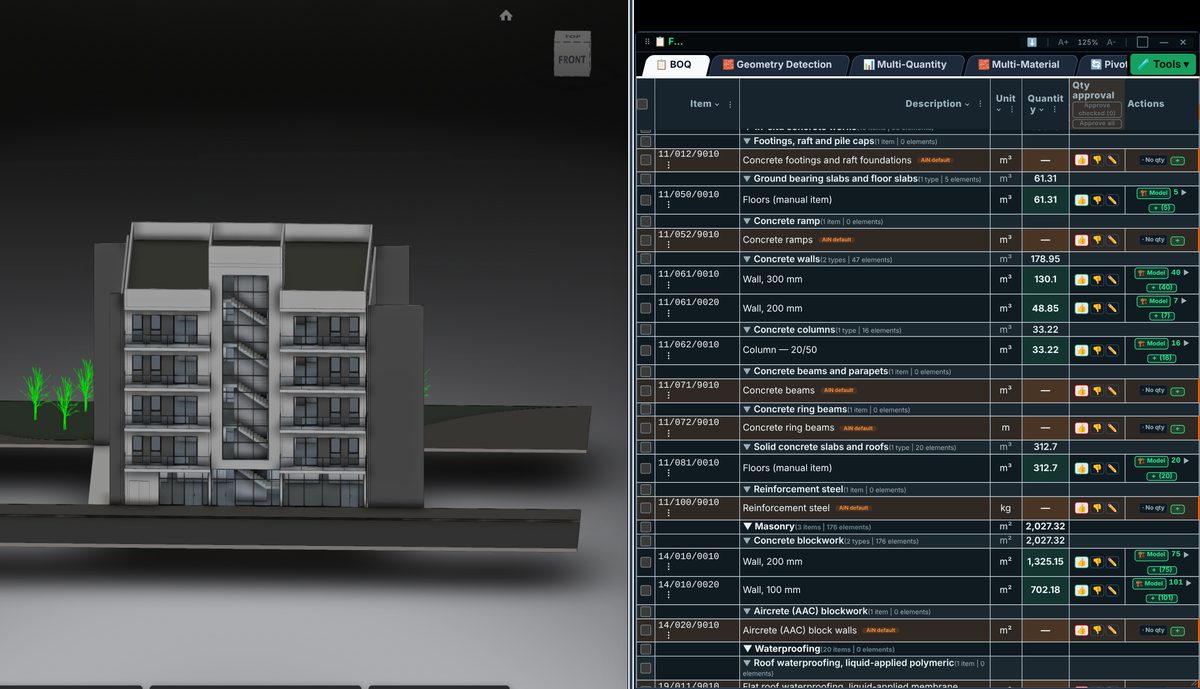
Check the source
A delivery workbook should preserve item code, work description, unit and quantity rather than appearance alone. Check headings, chapter order and source revision. Where sources differ, document them in a form that remains understandable outside the application.
Incorporate the data
Open the exported workbook and check representative lines and control totals. Inspect numbers stored as text, measurement units and hidden rows. A template or language alone does not establish compliance with a particular standard.
Review before issue
Keep the quantity source distinct from tender prices. Exporting does not turn a manual line into a model-derived line. If calculations are added to the workbook, retain the formula and its inputs with the issued revision.
Review checklist
- Identify the source file and revision.
- Record the unit and measurement rule, and check scope boundaries.
- Distinguish model data, manual completion and AI suggestions.
- Record missing data or exceptions before using a quantity for pricing.